Configure your routines once. Every morning after that, Esas has already built Today from them, ranked by what your week still owes and what your energy suits at this hour. Seven slots at most, and the strongest placements say why they are there. Open it and start.
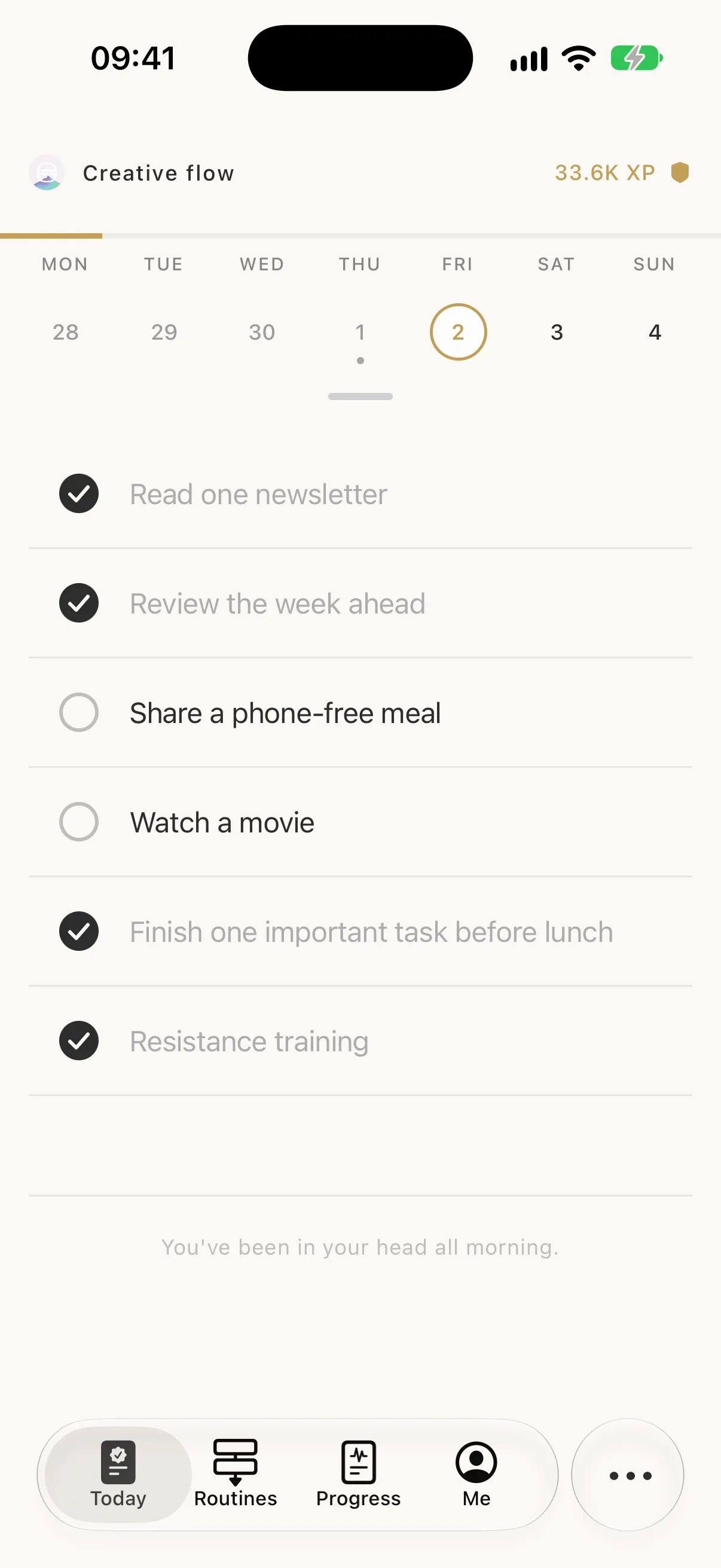
Nobody typed this list. Esas resolved the routines you keep into one ordered day.
Most planners
hand you a
blank page.
You decide the routines. The engine decides the morning.
Every other app turns your day into a buffet, and the choosing is what empties you. You spend the morning deciding, bookmark four good intentions, and get to the evening having done none of them. It's the streaming-carousel problem, except the cost is your week.
Esas takes that decision off you. You configure your routines once. What they are, how often, how demanding. From then on the engine builds the day itself, every morning, the moment you open it.
And it tells you why. The strongest placements carry a one-line reason, so you can argue with the plan.
Each one is the engine doing its one job. The quoted lines are what the app actually prints.
In every other app, two skipped days means a broken streak.
Nothing breaks. The routine is set to three times a week, and it's read two of three. There's still Friday.
“On pace for this week” Reason shown on the task
Cadence is a real setting. Every day, three times a week, every other week, once a month. Miss a day and the engine re-paces the rest of the cycle instead of resetting you to zero.
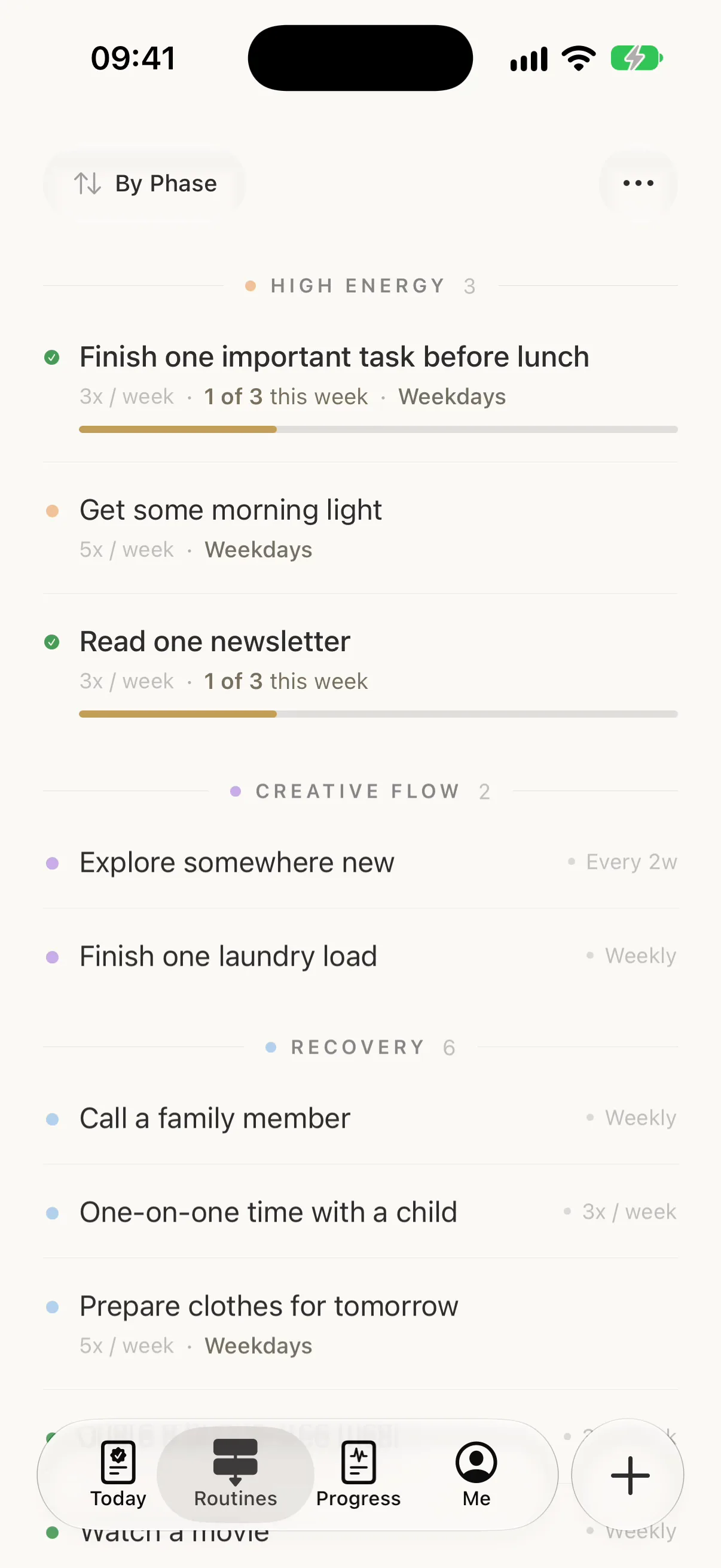
You didn't plan your weekend. Esas built one, shaped for a Saturday.
Esas scores every routine against the day it actually lands on. On a day you don't work, restful routines score 1.4× and productive ones drop to 0.6×, so Saturday comes out in a shape Tuesday would never take.
“Full day today. Keep it steady.” Shown beneath the list on a fuller day
Capacity is what you've shown you can carry, and the plan arrives already sized to it.
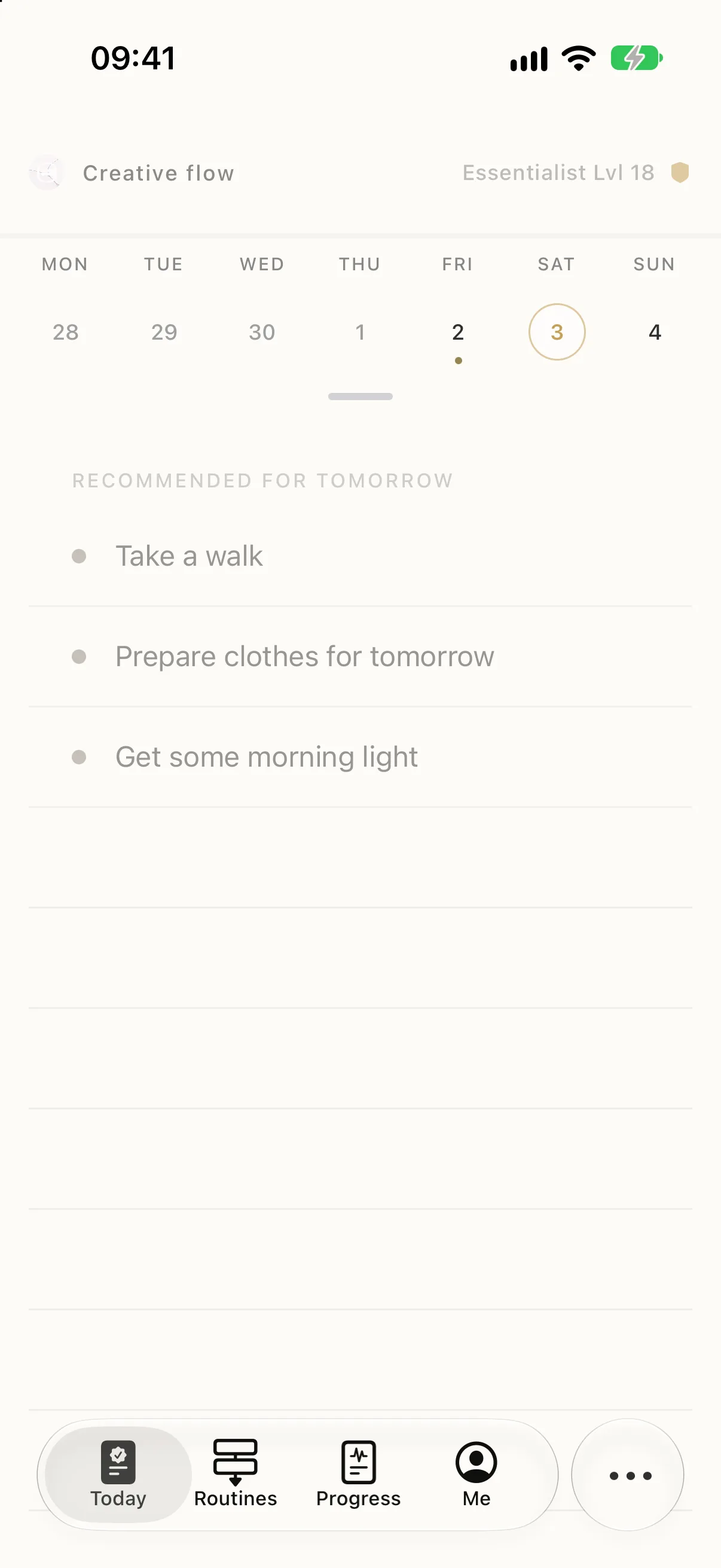
Your energy changes through the day. Your plan should change with it.
Tap the phase on Today to open Energy Rhythm. It splits your waking hours into High Energy, Creative Flow and Recovery, shows how long the current phase has left, and says what each one suits.
Give a task a time of day and finish it in an earlier phase, and it earns 1.1× XP.
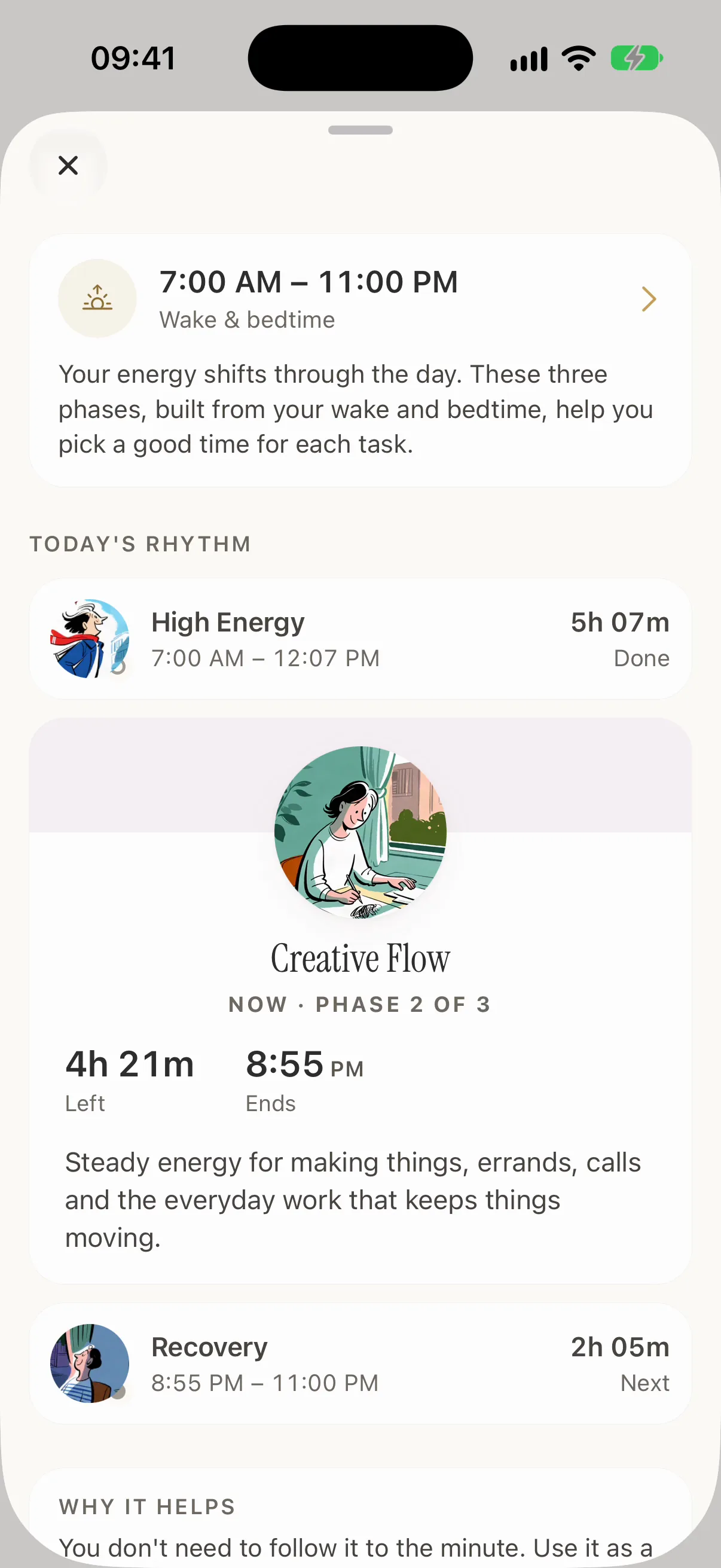
You open it expecting a graveyard of broken streaks and a guilt trip.
Today comes back deliberately light. Easier routines go first, and the harder ones return as your rhythm does.
“Lighter lift — ease back in” Reason shown on the task
The engine reads the gap and lowers the ask. This is the moment most planners lose you, so it's the one Esas is most careful about.
You have a gap. You'll spend all of it deciding how to use it.
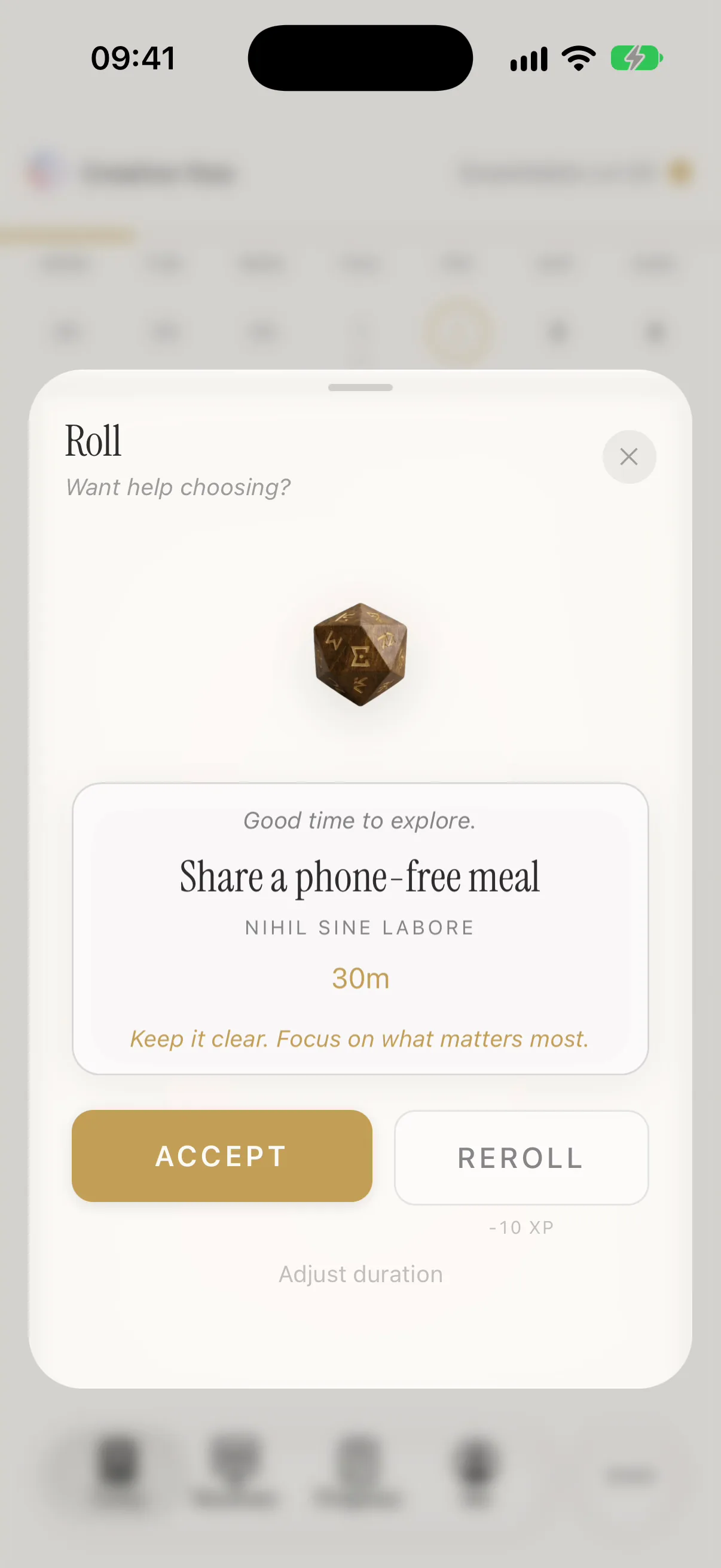
Tell the Roll what you've actually got. Spark 30m, Momentum 60m, or Deep Work 90m. It returns one task close to that length and suited to the hour, and you accept it or roll again.
“Enough time to clear the noise.” Shown on a 30-minute roll
A ninety-minute task never lands in a thirty-minute window. You get one suggestion, because a list is the problem you came here with.
9 AM you is ambitious. 4 PM you has to live with it.
Today holds seven, and the engine usually uses fewer. When a day is full, it says so plainly. “Today is full. Try later or clear a slot.”
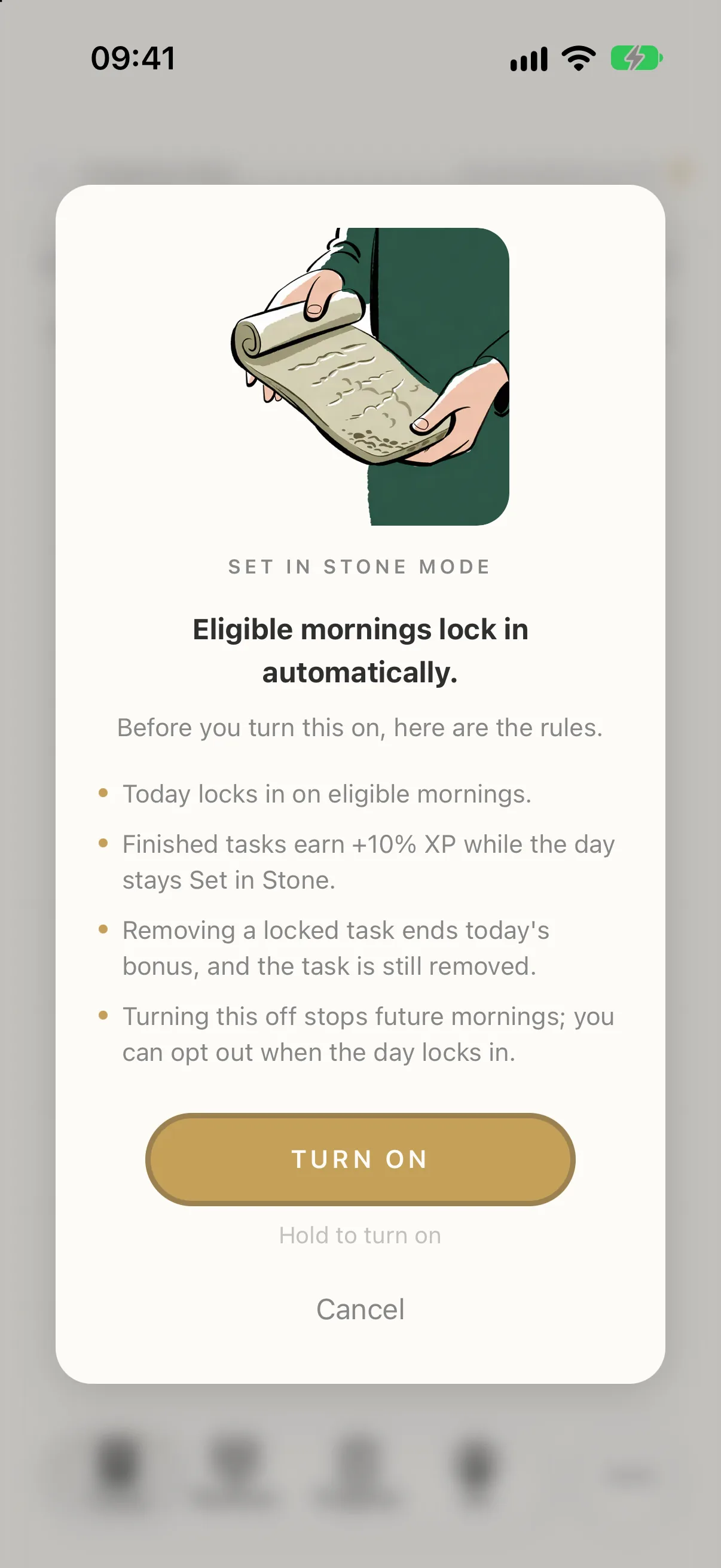
Set in Stone locks the morning's plan on purpose. Rerolls stop while it holds, finished tasks earn 10% more XP, and removing a locked task ends the bonus.
Seven counts everything, including what you add yourself. The cap is a total, not a routine budget.
You want to stop, and you don't want to pay for stopping.
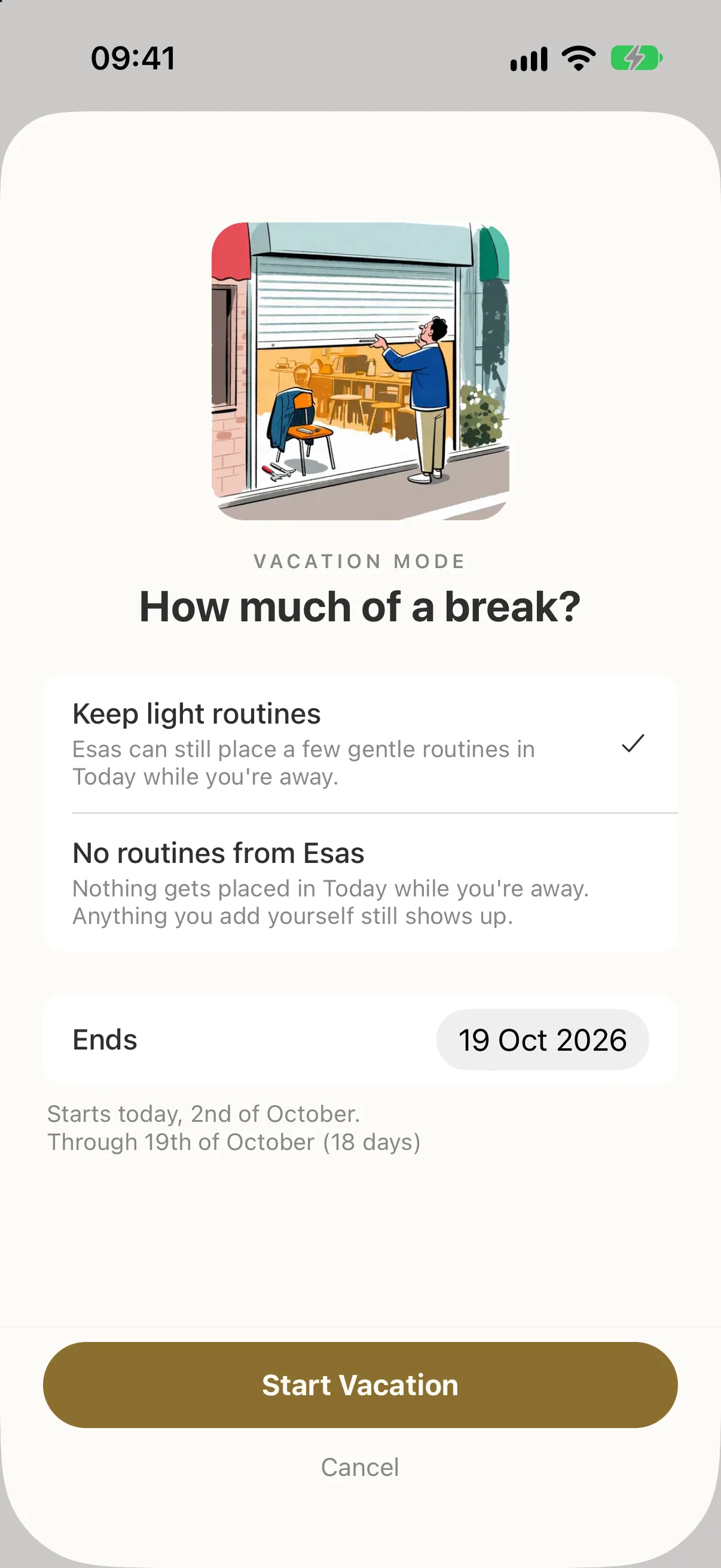
Vacation Mode fits on one screen. Choose Keep light routines or No routines from Esas, set the day it ends, and the engine reshapes what it asks of you, or stops asking entirely.
Rest is a state the system understands, not an absence it punishes.
You know you want better days. You don't know which routines would get you there.
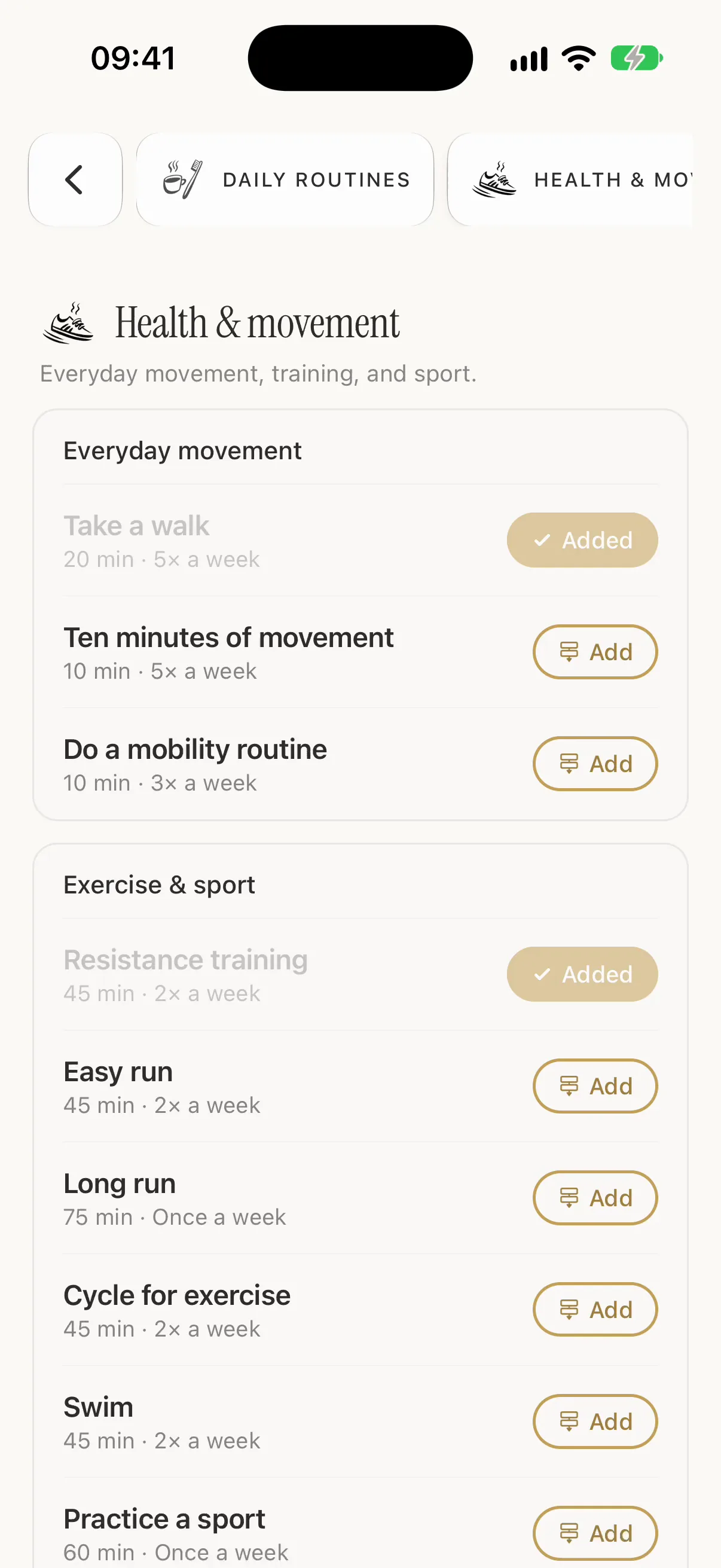
Onboarding sets up a small routine set for the life areas you pick, so Today has a plan from the first morning. The Routine Gallery holds 75 routines across six life areas, each with a suggested length and how often it repeats. Tap Add and the engine can start placing it in Today.
Already have one of them? Your routine stays as it is, history included.
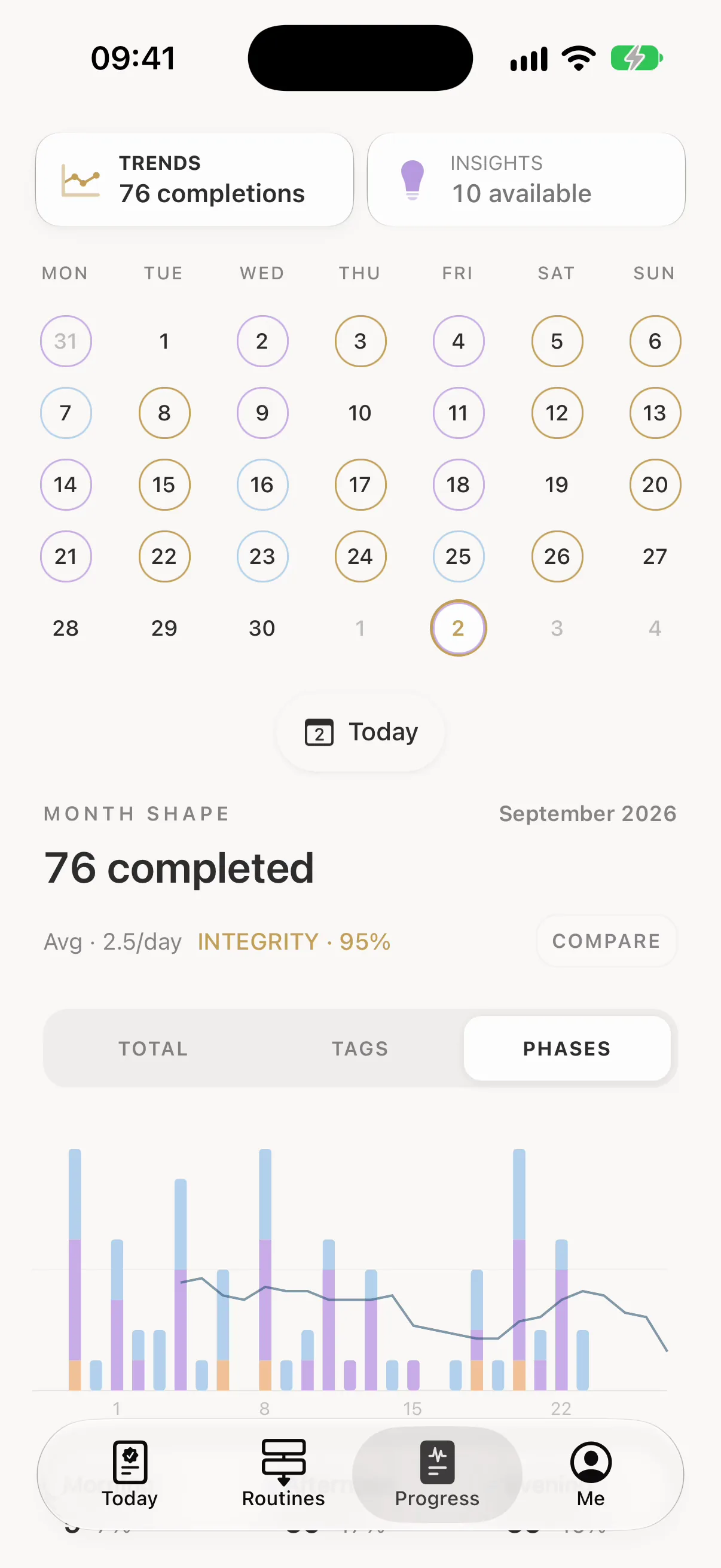
Month Shape draws your completions as one chart. Switch between Total, Tags and Phases to see what filled each day.
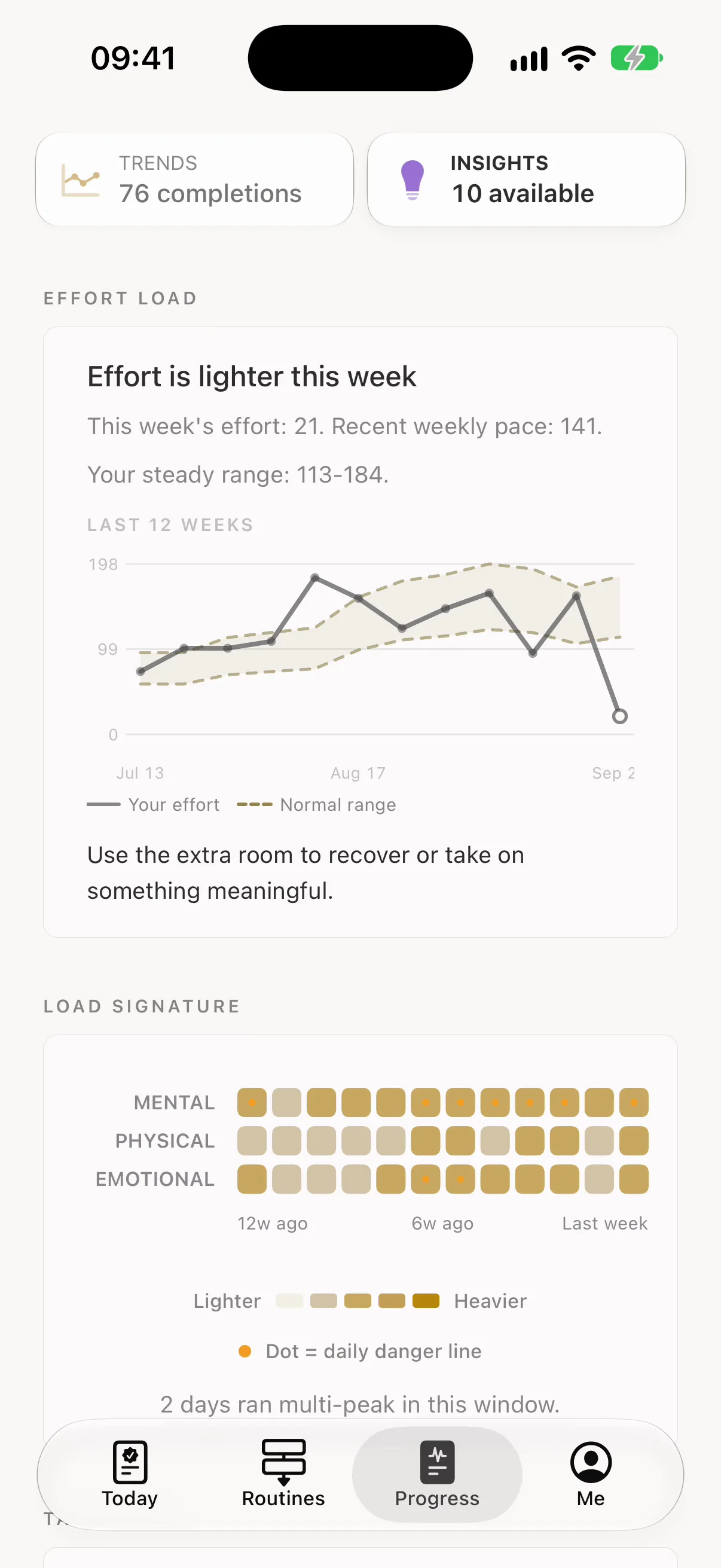
With Esas Pro, Insights read what your weeks are made of: how heavy this week is against your steady range, which kinds of effort stack up, and which parts of your life have gone quiet.
Insights form out of your own history rather than a template, and Esas waits until one is actually ready. Charts hold their tongue until there's something true to say.
Your routines and history live in an encrypted database on your device, and everything works offline.
Esas carries no ad networks. Your data is never sold or used to follow you across apps.
Ideas from Atomic Habits, Tiny Habits, Four Thousand Weeks and more on habit and willpower.
European product and engineering experience, shaped by years of navigating complexity, uncertainty and constant change.
Set your routines once. Every morning after that, the day is already built and ranked.
